

Web UI
ZeroFS includes a web interface compiled into the binary: a file manager, a live dashboard, and a terminal that boots a Linux VM in the browser with the ZeroFS filesystem mounted inside it.
Configuration
[servers.webui]
addresses = ["127.0.0.1:8080"]
uid = 1000
gid = 1000
uid and gid control the POSIX identity used for all file operations from the Web UI. Files created through the browser are owned by this user and group, and permission checks apply accordingly. Both fields are required.
Open http://127.0.0.1:8080 after starting ZeroFS. All assets are embedded in the binary. Prebuilt release binaries and the Docker image include the Web UI; a plain cargo build does not (see Building with the Web UI).
File Manager
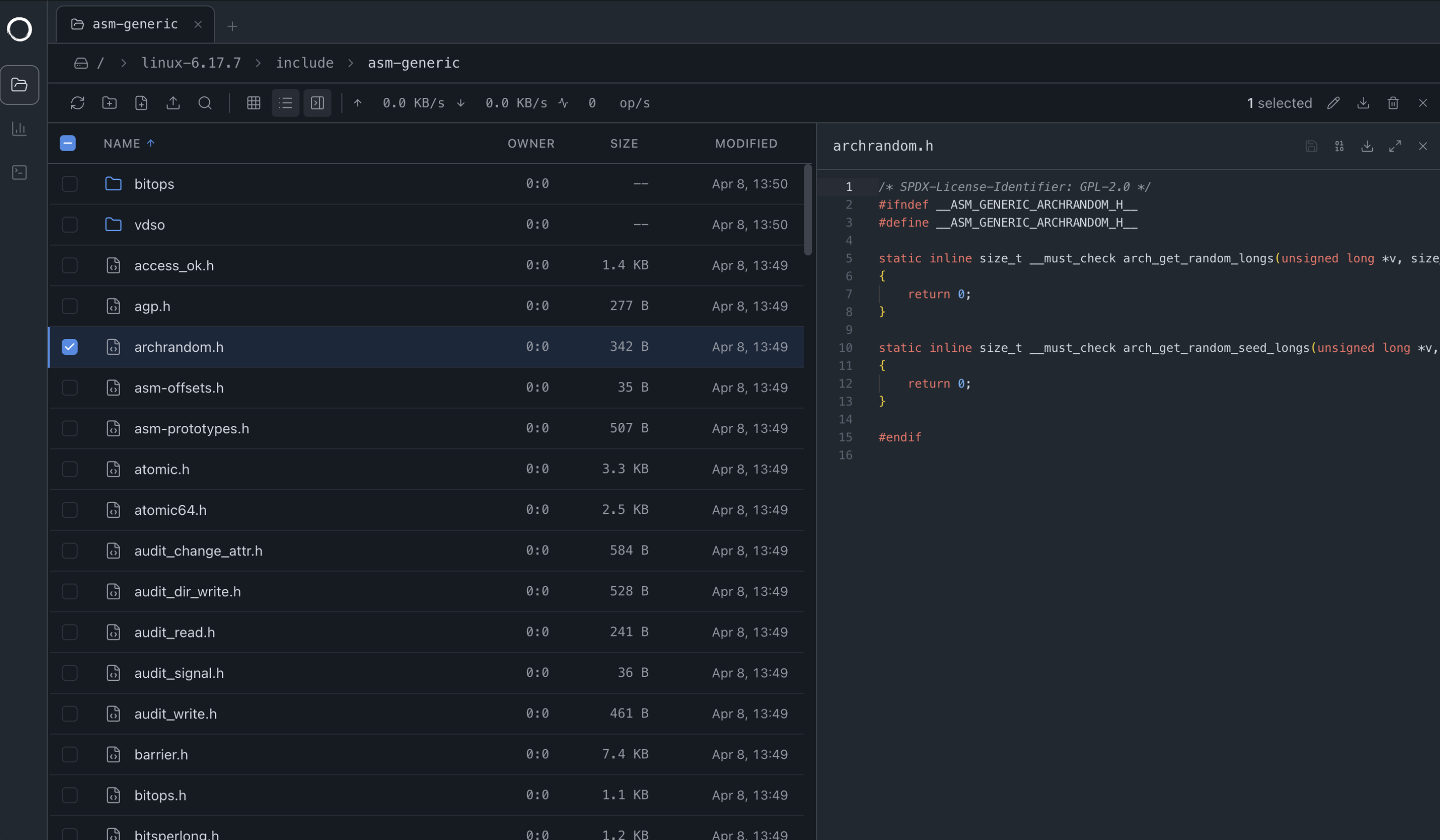
The file manager supports multiple tabs, file and directory uploads, previews, and search.
Previews and Editing
File type is detected from magic bytes in the first 16 KB. Text files open in a Monaco editor; Ctrl+S (or the save button) writes the buffer back over 9P. Text files over 5 MB and images or PDFs over 50 MB open in a hex viewer instead. Video and audio do not play inline; download to view.
Properties
The properties dialog edits mode (octal), UID, and GID. With "Apply recursively" checked, it applies all three values to every entry under the directory via a client-side walk and reports how many entries were applied and how many failed.
Search
Ctrl+F searches the current directory, recursing at most 10 levels deep. A plain query is a case-insensitive substring match, a query containing * or ? is a glob, and /pattern/ is a regular expression. The panel shows the first 100 results.
Transfers
Downloading a folder reads every file into browser memory and zips it client-side, so folder downloads are bounded by what the tab can hold in memory. Multi-file and folder uploads write files concurrently, then issue one filesystem-wide durability barrier for the completed batch rather than one fsync per file. Recursive delete is a client-side walk with live progress and cancel. Dragging selected entries onto another tab issues 9P renames: a move, not a copy.
Dashboard
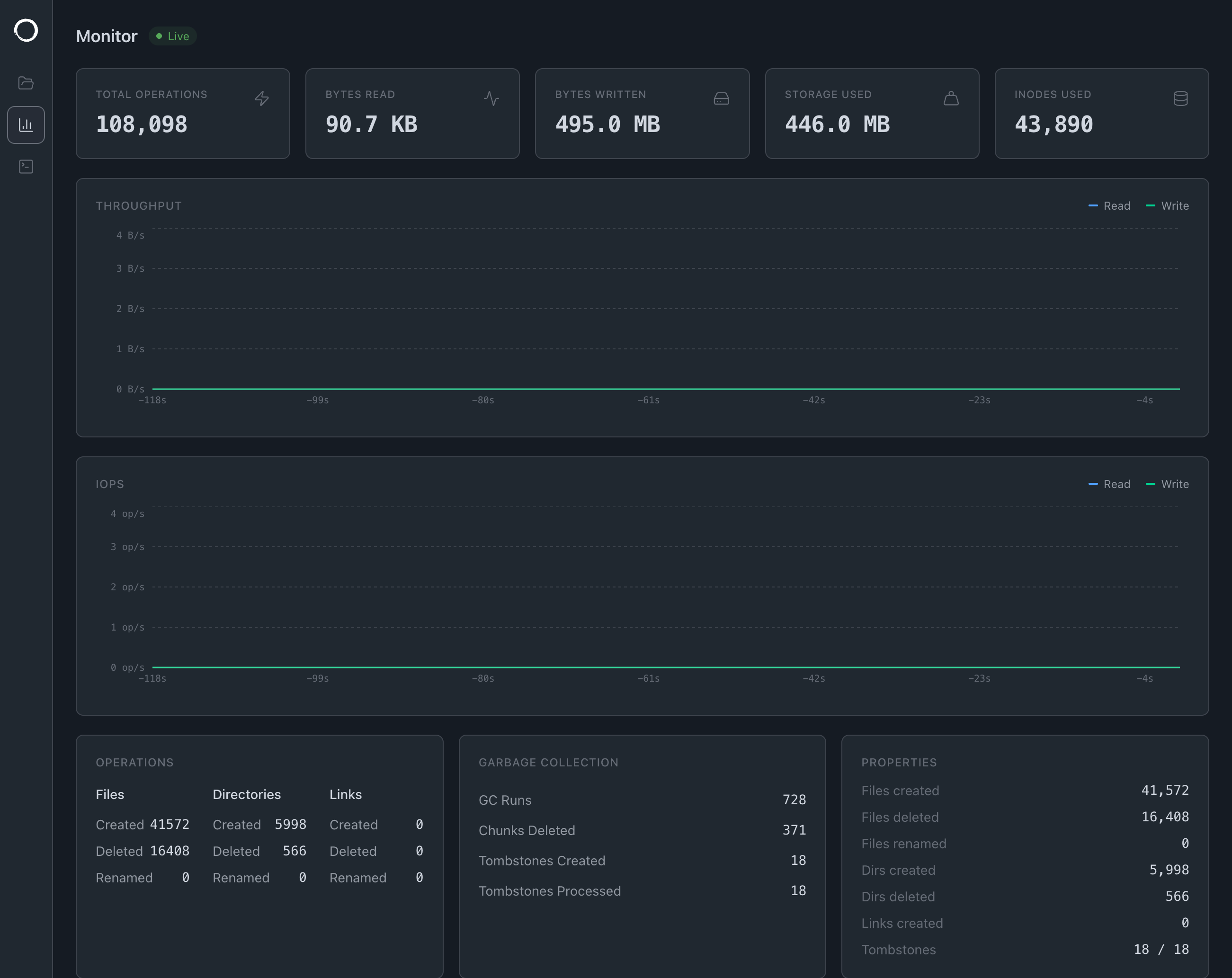
Streams live stats over gRPC-web: I/O throughput, IOPS, storage usage, operation counters, tombstone-cleanup activity, and a file access tracer showing recent operations.
The tracer keeps the most recent 1000 events. Pausing discards events that arrive while paused rather than buffering them.
9P on the Web
The file manager does not use a REST API. It runs the shared Rust zerofs-client implementation as WebAssembly, with a thin TypeScript facade for file-manager operations. The browser uses the same 9P2000.L.Z protocol, operations, and reconnect logic as the native client libraries.
WebSocket replaces the native client's TCP or Unix-socket transport; each binary WebSocket message carries one complete 9P frame. The 9P server already handles permissions, streaming, renames, and directory listings, so the UI reuses it directly. It negotiates the same ZeroFS extensions: linked open handles replay by inode ID, while an open-unlinked handle becomes stale if its connection drops.
When you open the UI, the browser connects to /ws/9p. The server upgrades the connection and hands it to the same NinePHandler that serves other clients over TCP. From that point on, the browser is another 9P session.
The Terminal
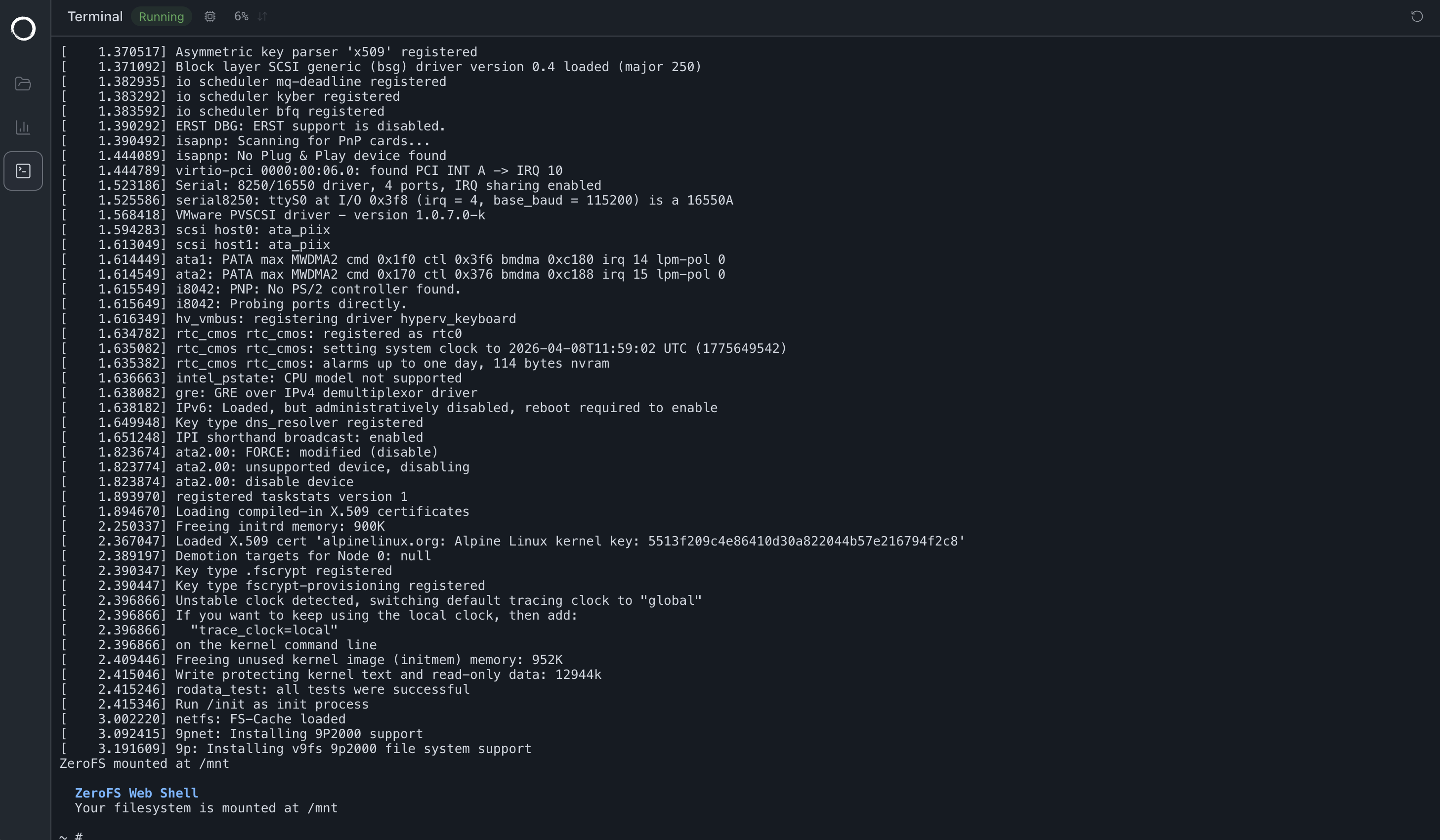
The terminal boots a Linux VM in the browser using v86, a JavaScript x86 emulator. The guest runs a Linux kernel with BusyBox coreutils; ls, cat, mkdir, and rm operate on the mounted ZeroFS filesystem.
v86 emulates a virtio-9p device that the guest kernel mounts with mount -t 9p -o trans=virtio, and v86 bridges that to a WebSocket back to ZeroFS:
sh → kernel 9P → virtio-9p (v86) → WebSocket → ZeroFS → object store
The VM has 128 MB of RAM and drops you into a shell at /mnt.
The guest has no network device; files move in and out only through the mounted filesystem. This is why the PostgreSQL in the browser demo copies binaries in through another mount. The guest mounts with cache=loose, so writes from other clients can appear stale in the shell, and shell writes can appear stale to other clients. The VM reboots automatically when the 9P WebSocket reconnects, for example after a ZeroFS restart.
Security Considerations
The Web UI has no authentication on any route.
/ws/9phands the connection to the same 9P handler that serves TCP clients. All operations run as the configureduid/gid, with full read/write access to the filesystem.- The gRPC-web endpoint exposes the complete
AdminService:CreateCheckpoint,ListCheckpoints,DeleteCheckpoint,GetCheckpointInfo,WatchFileAccess,WatchObjectAccess,Flush,StreamStats,CreateDirectory, andRemoveDirectory, including methods the UI itself never calls. - CORS on the gRPC-web routes reflects any request Origin and allows all headers, so a web page on any site can issue admin RPCs from a visitor's browser if that browser can reach the port.
- The
/ws/9pWebSocket performs no Origin check, and WebSocket connections are not subject to CORS.
addresses defaults to 127.0.0.1:8080. Binding to a non-loopback address exposes all of the above to that network. Keep the bind address on loopback or a trusted network, restrict access with firewall rules, use an SSH tunnel for remote access, or front the Web UI with a reverse proxy that adds authentication and TLS (the proxy must pass WebSocket upgrades for /ws/9p).